



Swopi app download
The event lead capture app on your phone
Scan badges, cards and LinkedIn QR codes. Swopi AI adds contact and company data and sends each lead to your CRM.

Step 1
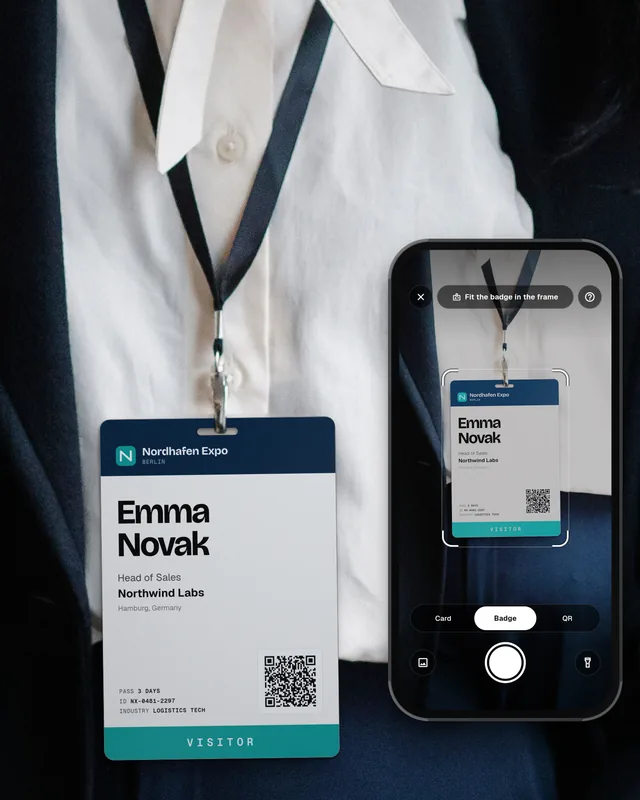
Scan a badge, card or QR
Point the phone at an event badge, a paper business card or a LinkedIn QR code. Swopi reads name, title and company in any language.
Step 2
Swopi AI fills in the lead
Swopi AI adds work email, phone, LinkedIn profile and company data from 20+ sources.

Step 3
Notes and the first follow-up
Add a note after the conversation. Swopi AI drafts a follow-up email you can send the same day.

Step 4
Sync to your CRM
One tap sends the lead to HubSpot, Salesforce, Dynamics 365, Zoho CRM, Pipedrive or monday.com, and to 5,000+ more apps through Zapier.
See all integrations
Works with the CRMs your team already runs
Native sync for the big ones. Zapier for everything else.
 Salesforce
 HubSpot
 Dynamics 365
 Zoho CRM
 Pipedrive
 monday.com
Get the Swopi app
Free to try on iPhone and Android. Team setup lives in the dashboard on your computer.



Scan to get the app