



How to track trade show leads in Salesforce with campaigns
Set up a Salesforce campaign for each trade show: member statuses, adding leads and campaign influence, so you see what every event brought in.
The short answer: create one Salesforce campaign for each trade show, set member statuses that match the event (for example Visited booth, Follow-up sent, Meeting held) and add every person you met as a campaign member. When a deal comes from one of those people, Salesforce campaign influence links the opportunity to the show. Then you can report pipeline and won deals per event.
This guide is for marketing and sales ops teams that use Salesforce and exhibit at trade shows or conferences. It uses only standard Salesforce features, and each fact links to Salesforce's own documentation.
Why use a Salesforce campaign for each trade show
A lead source field tells you the kind of channel a person came from. It does not tell you which show, which year, or what happened next. A campaign does. It is a record for the event itself, and each person you met becomes a campaign member with a status. Members with a status that counts as a response are added to the campaign's response count (Salesforce Help), and Salesforce calls member statuses "very useful for reporting on the response rate of your campaigns" (Trailhead).
- One list per show. All leads and contacts from the event in one place, new people and existing customers.
- A status per person. You see who you met, who got a follow-up and who booked a meeting.
- A link to deals. Opportunities can be tied back to the show, so you can measure trade show ROI with real numbers.
How to set up a Salesforce campaign for a trade show
Step 1: Create a parent campaign
If you go to many shows, create one parent campaign, for example “Trade shows 2027”, and one child campaign for each show. Each campaign can have one parent, and a hierarchy can have up to five levels (Salesforce Help).
Step 2: Use one naming pattern
For example “2027-01 CES Las Vegas”. Reports and list views stay easy to read when every show follows the same pattern.
Step 3: Set the member statuses
New campaigns start with two statuses, Sent and Responded. You can edit them, add more and choose one as the default (Salesforce Help). Tick Responded for the statuses that mean real contact.
Step 4: Add cost and goals
Fill in the campaign's cost fields and agree on one goal, such as booked meetings. You need both for the report after the show.
Step 5: Add your invite list
If you invite customers and prospects before the show, add them now with an Invited status. Our trade show invitation email guide helps with the text.
Campaign member statuses for a trade show
| Status | Counts as responded? | When to use it |
|---|---|---|
| Invited | No | You invited the person before the show. |
| Meeting booked | Yes | They booked a meeting at the booth before the show. |
| Visited booth | Yes | You scanned their badge or business card at the show. |
| Follow-up sent | Yes | The first email after the show went out. |
| Meeting held | Yes | A call or demo after the show took place. |
Salesforce's own example for a conference campaign uses Invited, Registered and Attended (Salesforce Help). Keep your list short. The booth team should be able to remember it without a cheat sheet.
How to add trade show leads to a Salesforce campaign
1. Import a file after the show
If the leads come as a spreadsheet, you can use the Data Import Wizard to add leads, contacts, accounts and person accounts to a campaign (Trailhead). Clean the file first: one row per person, an email address in each row and a status column. Match on email, so existing people are not created twice.
2. Use Add to Campaign for a few records
For a small number of people, find the leads or contacts in a list view and use the Add to Campaign button (Salesforce Help).
3. Let the scanning app add each lead
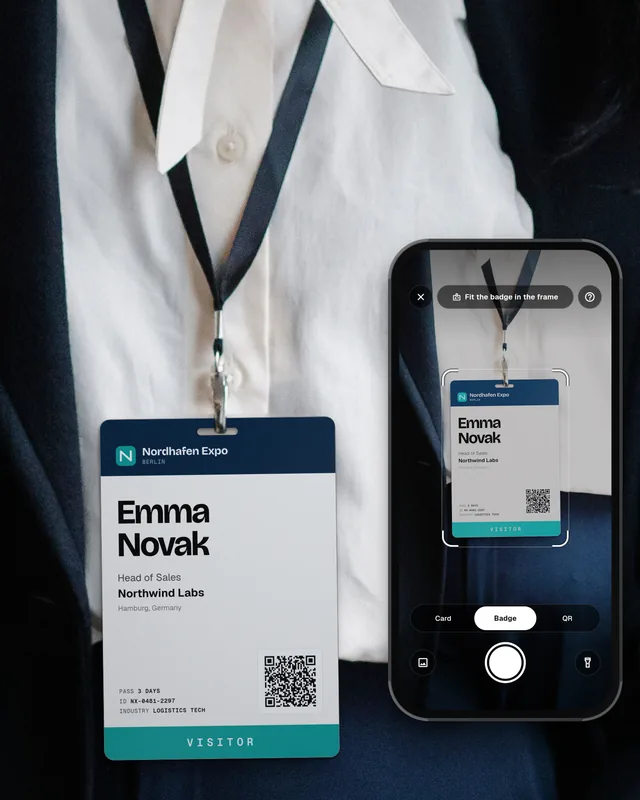
Some lead capture apps send each scan to Salesforce and add it to the event campaign right away. The campaign is complete on the evening of the show, not a week later, and nobody types a file. Our guide on how to scan event badges into your CRM explains the options.
How to measure what a trade show brought in
Once people are campaign members, Salesforce can link the show to opportunities. With Customizable Campaign Influence, the default model gives 100% of the influence to the campaign in the opportunity's Primary Campaign Source field. Influence models look for campaign members who also have a contact role on an open opportunity, and you can set a time frame in Setup for when a member counts (Salesforce campaign influence guide).
- Contact roles matter. If the person you met is not a contact role on the opportunity, the show gets no credit.
- Closed deals stop counting. After an opportunity is closed won or lost, no new influence records are created (Salesforce).
- Status does not change influence. Campaign influence counts every campaign member, whatever the status (Salesforce). Use statuses for follow-up reports, not for attribution.
- Custom models have a limit. Professional and Enterprise editions allow 3 custom models, Performance and Unlimited allow 5 (Salesforce).
For the report after the show, compare the campaign cost with the pipeline and the won amount of influenced opportunities. Our trade show ROI guide shows the simple formulas.
Common mistakes with trade show campaigns
- One campaign for all shows of the year. You cannot compare one show with another.
- Leads imported weeks later. The follow-up is late and notes from the booth get lost. See our trade show follow-up email guide for timing.
- No notes from the booth. Sales sees a name in the campaign, not the conversation.
- No lead owner. The leads are in the campaign, but nobody calls them.
- Consent not recorded. Note the lawful basis for each contact. Our guide on GDPR for trade show leads explains the basics.
From badge to Salesforce campaign without typing
Swopi removes the typing between the booth and the campaign. Your team scans badges, business cards and QR codes on their own phones, and each lead reaches Salesforce as a Lead or Contact with the event name. With Salesforce, every lead joins the event campaign (Swopi for events). Swopi AI adds missing details from 20+ data providers and drafts the follow-up email from your notes. Leads without typing. See pricing.
How do I track trade show leads in Salesforce?
Create one campaign for each show, add every person you met as a campaign member with a status, and use campaign influence to link the show to opportunities. Then report pipeline and won deals per campaign.
Should I use lead source or a campaign for trade shows in Salesforce?
Use both. Lead source shows the kind of channel. A campaign shows which show it was, keeps a status for each person and links the show to deals.
How do I add trade show leads to a campaign in Salesforce?
Import a file with the Data Import Wizard, use the Add to Campaign button for a few records, or use a lead capture app that adds each scan to the event campaign.
What campaign member statuses should I use for a trade show?
A short list works best, for example Invited, Meeting booked, Visited booth, Follow-up sent and Meeting held. Tick Responded for the statuses that mean real contact.
Why does my trade show campaign show no influenced opportunities?
Check three things: the person is a contact role on the opportunity, the opportunity was still open, and the dates fall inside the influence time frame set in Setup.