



What is a digital business card and how does it work?
A digital business card is your contact page on a link. How sharing by QR code, NFC and wallet works, what it costs you, and how to turn it into leads.
The short answer: a digital business card is a small web page with your name, job, company, phone, email and links. You share it with a QR code, a link or an NFC card, and the other person saves your details to their phone with one tap. They do not need an app. You can change your details at any time without printing new cards.
This guide explains how a digital business card works, how it compares to paper, and how to use it at events so that it brings you leads, not only saves you paper.
What is a digital business card?
A paper card is a fixed print. A digital business card is a page that lives online, for example at a short link with your name. The page shows your photo, contact details, company and links such as LinkedIn or your calendar. It also has a button to save the contact.
That button gives the other phone a contact file in the vCard format. vCard is an open standard for “representing and exchanging” information about people (RFC 6350, IETF). This is why the contact lands in the normal address book on iPhone and Android, not in a separate app.
How does a digital business card work?
Step 1: You create your card
You add your details once, in an app or on the web. The card gets a fixed link.
Step 2: You share the link
You show a QR code on your phone, tap an NFC card on their phone, or send the link by email, chat or in your email signature.
Step 3: They open your card
The other person sees your card in their phone browser. No app and no account on their side.
Step 4: They save your contact
One tap on the save button adds you to their contacts, with your name, company, phone and email in the right fields.
Step 5: You update when needed
New job title or new phone number? Change it once. The link stays the same, so every QR code and NFC card you already gave out shows the new details.
Ways to share a digital business card
| Method | How it works | Good for |
|---|---|---|
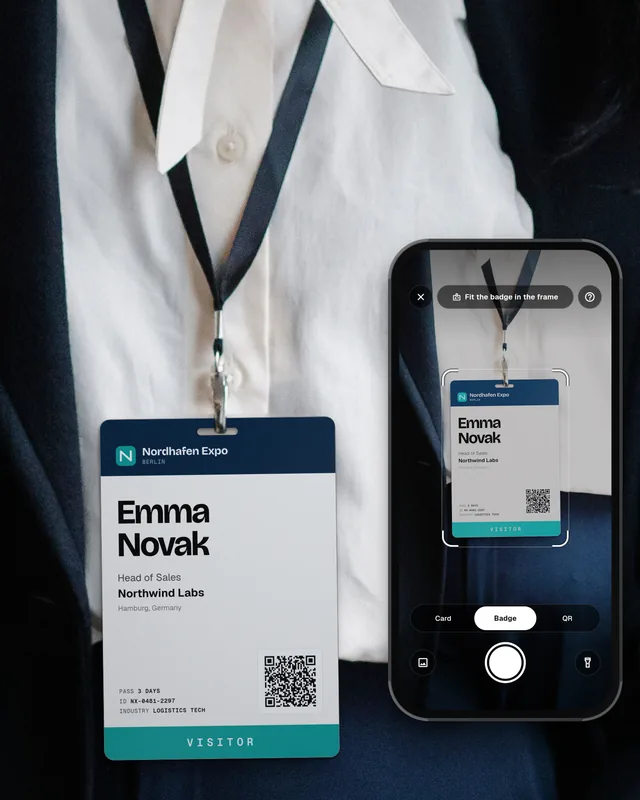
| QR code | The other person points their phone camera at the code on your screen, badge or printed card. The iPhone Camera app reads QR codes (Apple Support). | Meetings in person, stands, slides at the end of a talk |
| NFC card or tag | You hold the card near their phone. NFC works at short range, “typically requiring a distance of 4 cm or less” (Android Developers). | Fast exchange when both people stand close |
| Link | You send the link by email, chat or SMS, or put it in your email signature and social profiles. | Online meetings and follow-up |
| Phone wallet or widget | You keep the QR code in your phone wallet or on the home screen, so it opens in one move. | When you share your card many times a day |
Digital business card vs paper business card
| Paper business card | Digital business card | |
|---|---|---|
| Change your details | Print new cards | Edit once, the link stays the same |
| Running out | Happens at the worst moment | Cannot run out |
| Saving the contact | Someone has to type it or scan it | One tap, straight into the address book |
| Links and extras | Only what fits on the card | LinkedIn, calendar, website, photo |
| Do you know who saved it? | No | Possible, if the card has a form to leave details |
| Works without a phone | Yes | Only with a printed QR code or an NFC card |
Paper still has a place. Some people like a card in their hand, and in some cultures the exchange of cards is part of a polite first meeting. Many people use both: a digital card as the main card, and a few paper cards with a QR code that points to the digital one.
How to use a digital business card at events
At a trade show or a conference, a digital card solves only half of the problem. It gives the other person your details. But you also need their details, or you have no lead. Plan for both sides of the exchange.
- Show the QR code first. It works on every phone. Keep NFC for people who stand close and have a phone that supports it.
- Use a card with a form. Some digital cards let the other person leave their name and email after they save yours. Then you have their details too, with the time and the place.
- Scan what they give you. If they hand you a paper card or have an event badge, scan it on the spot. Our guide on how to scan business cards into your CRM and our explainer on what a badge scanner is show how.
- Add one line of notes. What do they need, and what did you promise? Do it before you talk to the next person.
- Follow up within a day. Our trade show follow-up email guide has templates you can use.
Is a digital business card GDPR friendly?
Your own card is your own data, and you choose what to show. It is different when people leave their details on your card: then you collect personal data. Say clearly what you will use it for, keep only what you need, and follow up only in a way that fits what they agreed to. Our article on GDPR for trade show leads explains the rules in simple words. This is not legal advice.
Common mistakes
- Only NFC, no QR code. Not every phone reads NFC tags in every situation. A QR code always works.
- Too much on the card. Ten links are hard to read on a small screen. Keep the details people really need.
- Old details. The main benefit is that you can update the card. Check it before every big event.
- One way only. If the card only sends your details out, you still go home without leads. Collect their details too.
- Every person in the team has a different design. For a company, use one template, so all cards look the same and show the right brand.
Digital business cards with Swopi
A Swopi digital business card lives at swopi.co/yourname. You share it by QR code, link, NFC card, Apple Wallet, Apple Watch or a widget, and the other person needs no app. When someone saves your card, they can leave their details in a small form, so you get a lead, not just a lost contact. Companies get templates with a locked design, email signatures and cards for every employee. With the same app you scan event badges and paper business cards, so leads come in without typing. Swopi connects to HubSpot, Salesforce, Pipedrive and 5,000+ CRMs and apps. You can start for free, see pricing.
What is a digital business card?
It is a small web page with your contact details that you share by QR code, link or NFC. The other person opens it on their phone and saves your contact with one tap, without an app.
How does a digital business card work?
Your card has a fixed link. You share the link as a QR code, an NFC tap or a message. The other phone opens the page and saves your details as a normal contact in vCard format.
Do I need an NFC card for a digital business card?
No. A QR code and a link work on every modern phone. An NFC card is a nice extra for fast exchange when you stand close to someone.
Does the other person need an app to receive my digital business card?
Usually not. Most digital business cards open in the phone browser, and the contact is saved to the normal address book on iPhone or Android.
Are digital business cards better than paper ones?
For most people, yes, because you can update them, they never run out and they save time when someone wants your details. Many people still carry a few paper cards with a QR code for people who prefer paper.