



Dynamics 365 Sales MCP Server: what it means for sales and event teams
Microsoft made the Dynamics 365 Sales MCP Server generally available. What it means for working trade show leads in Dynamics 365 with an AI assistant.
The short answer: on 29 October 2026, Microsoft made the Dynamics 365 CX MCP Server for Sales generally available. It lets AI assistants and agents read and work with Dynamics 365 Sales data, including leads, contacts, opportunities, activities and email, through the Model Context Protocol (MCP) (Microsoft Dynamics 365 blog). For sales and event teams, it means a seller can ask an AI assistant to search, qualify, assign and follow up trade show leads in Dynamics 365 in plain words, as long as the leads are already in the CRM with good data.
Below: what Microsoft announced, which AI tools can connect, what setup and billing look like, how it can help in the days after a show, and the data questions to ask first. Every fact about the news links to Microsoft's own blog or documentation.
What Microsoft announced on 29 October 2026
MCP is an open standard that lets an AI assistant use tools in other software. Microsoft calls this release "headless CRM": the AI assistant does the work in Dynamics 365 Sales without the seller opening the CRM screens. The server has 59 tools at general availability (Microsoft). Microsoft groups them like this:
| Area | What the AI assistant can do, as Microsoft describes it |
|---|---|
| Leads | Retrieve, update, search, qualify, disqualify and assign leads |
| Accounts and contacts | Retrieve and maintain accounts, contacts, relationships and stakeholders |
| Activities and email | Review timelines, create and complete activities and notes, draft and send email, schedule meetings |
| Opportunities | Get summaries, manage stakeholders and competitors, update, move stages, close, reopen, clone |
| Products and pricing | Find products and price lists, manage product lines, recalculate pricing |
| Quotes and orders | Create quotes from opportunities, revise or activate them, turn them into orders |
The Sales MCP Server documentation also lists AI tools for sellers, such as lead research, a lead qualification assessment, a lead catch-up summary and a draft outreach email.
Which AI assistants can use the Dynamics 365 Sales MCP Server
Microsoft names Microsoft Cowork, its Sales Agent and agents built in Copilot Studio, plus other MCP clients and agents that customers build (Microsoft). The setup guide lists Copilot Studio, Visual Studio Code, GitHub Copilot CLI, Cursor, ChatGPT and Claude Code as clients that support this kind of connection.
Access follows the Dataverse roles and permissions you already have, so the AI assistant can only see and change what the signed-in seller can see and change (Microsoft).
Setup, availability and cost
- Status: generally available since 29 October 2026 (Microsoft).
- Who sets it up: an admin. The setup guide asks for the System Administrator role, the Dataverse environment ID and tenant admin consent. Each environment needs its own connection.
- Cost: the announcement gives no price. The documentation says each AI tool uses Copilot Studio credits, and that credits are not charged for specific Dynamics 365 Sales licenses. Check the Dynamics 365 licensing guide or ask your Microsoft partner which case applies to you.
What it can change in the days after a trade show
After a show, the slow part is not the CRM. It is the many small steps for each lead. This is how the tools Microsoft lists could map to that work. It is our view of the use, not a promise from Microsoft.
| After the show | In the CRM screens | With an AI assistant on the MCP server |
|---|---|---|
| Find this show's leads | Build a view with filters | Ask: "Show me the leads from the show last week" |
| Sort hot and cold leads | Open each lead and decide | Ask for a qualification assessment, then qualify or disqualify |
| Give leads to sellers | Assign them one by one | Ask the assistant to assign leads by territory or product |
| First email | Write each one by hand | Ask for a draft from the lead record and the booth note, then review and send |
| Book the next call | Switch to the calendar | Ask the assistant to schedule the meeting |
Step 1: Get every lead into Dynamics 365 first
The AI assistant only works with what is in the CRM. Our guide on how to import trade show leads into Dynamics 365 shows the options.
Step 2: Tag the event on each lead
Put the show name on every lead, so one plain question finds them all.
Step 3: Keep a real note from the booth
A draft email is only as good as the note behind it. One line on what the visitor asked for is enough.
Step 4: Review before you send
Read every AI draft for hot leads before it goes out. Our trade show follow-up email guide has examples, and trade show lead scoring helps you decide who is hot.
Limits and questions to ask first
- Data leaves Dynamics 365. Microsoft says that connecting Dynamics 365 to other services lets data, including what users send to agents, leave the Dynamics 365 FedRAMP High boundary. It asks your tenant admin to confirm this meets your security, compliance and residency needs before you turn it on (Microsoft Learn).
- The assistant can change records. Tools can update, qualify, assign and send email. Start with a small group of sellers and check what changes in the CRM.
- Credits add up. Each tool call can use Copilot Studio credits, so watch use in the first weeks after a big show.
- Other Microsoft agents. For an agent that writes outreach on its own, see our article on the Microsoft Sales Development Agent.
Complete leads in Dynamics 365 before the AI starts
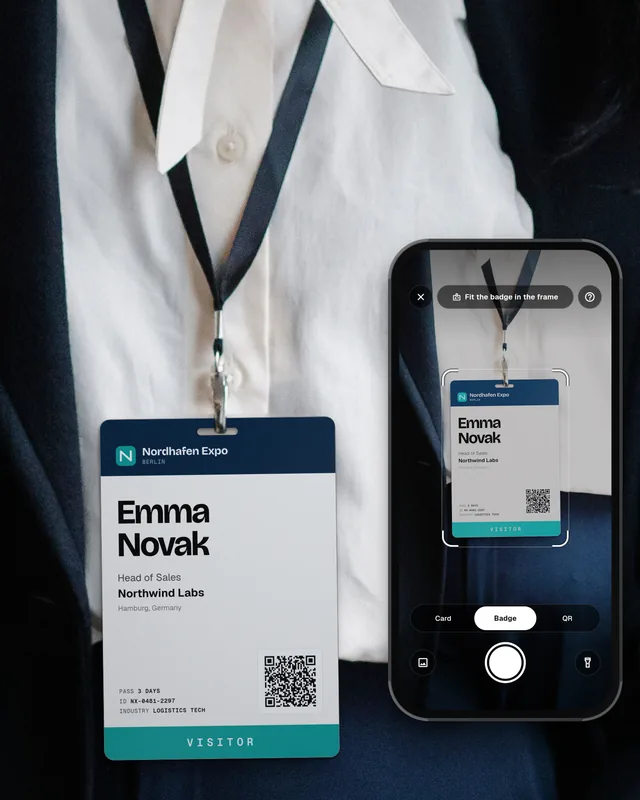
An AI assistant can sort and follow up leads, but someone still has to get each lead into Dynamics 365 with full details. That is where the typing used to be. With Swopi, your team scans badges, business cards and QR codes on their own phones and adds a short note. Leads without typing. Swopi AI adds missing details from 20+ data providers, drafts the follow-up email from your note, and each lead lands in Dynamics 365 with the event name. One license. Unlimited users, scans and events. No per lead fees. Send us a badge from your last show and watch it land in your CRM on a short call.
What is the Dynamics 365 Sales MCP Server?
It is a Microsoft service that lets AI assistants and agents work with Dynamics 365 Sales data, such as leads, contacts, opportunities, activities and email, through the Model Context Protocol. Microsoft made it generally available on 29 October 2026.
Can I use ChatGPT or Claude with Dynamics 365 Sales?
Microsoft's setup guide lists ChatGPT and Claude Code among the clients that can connect to the Dynamics 365 Sales MCP Server, together with Copilot Studio, Visual Studio Code, GitHub Copilot CLI and Cursor. An admin has to set up the connection first.
How much does the Dynamics 365 Sales MCP Server cost?
Microsoft did not give a price in the announcement. Its documentation says each AI tool uses Copilot Studio credits, and that credits are not charged for specific Dynamics 365 Sales licenses. Check the Dynamics 365 licensing guide for your case.
Can an AI assistant qualify trade show leads in Dynamics 365?
Yes. The server includes tools to search, qualify, disqualify and assign leads and to draft email. The leads must already be in Dynamics 365, ideally with the event name and a note from the booth.
Is my CRM data safe with the Dynamics 365 MCP Server?
Access follows your existing Dataverse roles and permissions. Microsoft also warns that connecting to services outside Dynamics 365 lets data leave its FedRAMP High boundary, so your tenant admin should check your security and compliance rules first.