



Trade show lead scoring: how to rate leads at the booth
A simple trade show lead scoring system: a points sheet for booth staff, clear hot, warm and cold rules, and how to map the score to your CRM.
The short answer: trade show lead scoring means your booth staff give every visitor a simple score before they walk away. The score is based on a few questions about fit, need, timeline and the next step. The score then decides who gets a personal call the next day and who goes into a slower email flow.
Most teams skip this. A CEIR report on lead quality says that, according to major lead retrieval vendors, "less than 10 percent of exhibitors use customer qualifiers". Without a score, every scan looks the same in the CRM and sales has to guess. This guide gives you a scoring sheet you can copy, rules for each rating, and a way to check after the show if the score was right.
What is trade show lead scoring?
CRM tools split lead scoring into two parts. HubSpot, for example, says fit scores "qualify records based on their demographic information through property values", and engagement scores "qualify records based on their actions and interactions, such as visiting your website" (HubSpot Knowledge Base).
At a trade show you can use the same idea, but the booth conversation is your best signal:
- Fit: is this the right company and the right person? A badge scan or a card scan already tells you most of this.
- Intent: does this person have a real need, a timeline and a reason to talk again? Only your booth staff can find this out, in the conversation.
Your CRM can score fit later. Intent gets lost if nobody writes it down at the booth. So the booth score should focus on intent.
A simple trade show lead scoring sheet
Keep it short. Five questions, 0 to 2 points each, a maximum of 10. Staff can fill it in a few seconds after the talk. This is an example, so change the rows to match your product.
| Question | 0 points | 1 point | 2 points |
|---|---|---|---|
| Fit: is the company in your target group? | No | Maybe, or partly | Yes, a clear match |
| Role: can this person decide or influence? | No role in buying | Influences the decision | Decides or owns the budget |
| Need: do they have the problem you solve? | No need today | Some interest | A clear, named problem |
| Timeline: when could they buy? | No plan | Next year | This year or this quarter |
| Next step: did you agree on one? | No | Send information | A meeting or demo is booked |
Add the points: 8 to 10 is hot, 4 to 7 is warm, 0 to 3 is cold. The next step row matters most. The same CEIR report tells exhibitors to train staff to agree on a specific next step with each visitor and to judge how committed the visitor is to it.
Hot, warm and cold leads: clear rules for the booth team
A rating only helps if every person at the booth uses it the same way. Write the rules down and put them in the staff briefing.
| Rating | Rule | What happens next |
|---|---|---|
| Hot | 8 to 10 points, or a meeting or demo is booked | The lead owner calls or writes a personal email the next working day |
| Warm | 4 to 7 points, a real interest but no date | A personal email with the thing you promised, then a short sequence |
| Cold | 0 to 3 points, low fit or no need | Your normal newsletter flow, only if they agreed to it |
| Not a lead | Partner, supplier, press, candidate | Goes to the right colleague, not to sales |
For the first message to hot and warm leads, use our trade show follow-up email templates.
The questions behind each score
Staff should not read the sheet out loud like a survey. Each row has one natural question that fits into a normal talk:
- Fit: "What does your company do?" or just check the badge.
- Role: "Who else would be part of a decision like this?"
- Need: "How do you handle this today, and what would you like to change?"
- Timeline: "Is this something for this year, or later?"
- Next step: "Would a short call or demo next week be useful?"
You can find more booth questions and a full before, during and after checklist in our guide on how to capture leads at a trade show.
How to set up lead scoring before the show
Step 1: Agree on what a lead is
Write one sentence that says who counts as a lead. The CEIR report suggests you write this definition together with your booth staff, so they support it.
Step 2: Build the sheet into your capture tool
Put the five questions and the rating as fields in your lead capture app or form. Taps are faster than typing, so use choice fields, not free text.
Step 3: Brief the team with examples
Play through two or three visitor types before the doors open: a buyer with a project, a curious student, a partner. Check that everyone gives the same score.
Step 4: Watch the scores on day one
Look at the first leads during the show. If one person rates everyone hot, talk to them early, not after the event.
Step 5: Send the score to the CRM with the lead
The rating, the answers and a short note should arrive in the CRM together with the contact, so the lead owner sees them before the first call.
Map the booth score to your CRM
Your CRM probably has a lead stage already. In HubSpot, a marketing qualified lead is "a contact or company that your marketing team has qualified as ready for the sales team", and a sales qualified lead is "a contact or company that your sales team has qualified as a potential customer" (HubSpot Knowledge Base). A booth score maps well to these stages:
| Booth rating | A common CRM mapping | Owner |
|---|---|---|
| Hot | Sales qualified lead, or a deal if a meeting is booked | A named seller |
| Warm | Marketing qualified lead | Marketing, with a seller in copy |
| Cold | Lead | Marketing |
| Not a lead | Another contact type, or no import | The right colleague |
If you use the HubSpot lead scoring tool, note that HubSpot lists it for Marketing Hub or Sales Hub Professional and Enterprise (HubSpot Knowledge Base). On other plans, a simple custom property with Hot, Warm and Cold works too. For the import itself, see our guides on importing trade show leads into HubSpot and using a Salesforce campaign for trade show leads.
Keep lead scoring GDPR friendly
Under the GDPR, personal data must be "adequate, relevant and limited to what is necessary in relation to the purposes for which they are processed" (GDPR Article 5). For booth scoring this means:
- Score the business need, not the person. Write "needs a CRM sync this quarter", not personal opinions about the visitor.
- Only ask what you will use. If nobody looks at a field after the show, remove it.
- Remember that notes can be seen. People can ask for the data you hold about them, so write every note as if the visitor could read it.
Our guide on GDPR for trade show leads covers consent, the legal basis and what to tell visitors.
Check the score after the show
A scoring sheet is a guess until you test it. A few weeks after the show, compare the rating with what really happened:
- How many hot leads became meetings or deals? If very few did, your hot rule is too easy.
- Did warm or cold leads buy? If yes, find out which question missed them and change that row.
- Did every staff member score in a similar way? Big differences mean the rules need clearer words or a better briefing.
Change the sheet before the next event, and use the results in your trade show ROI report. Cost per hot lead tells you more than cost per scan.
Lead scoring at the booth with Swopi
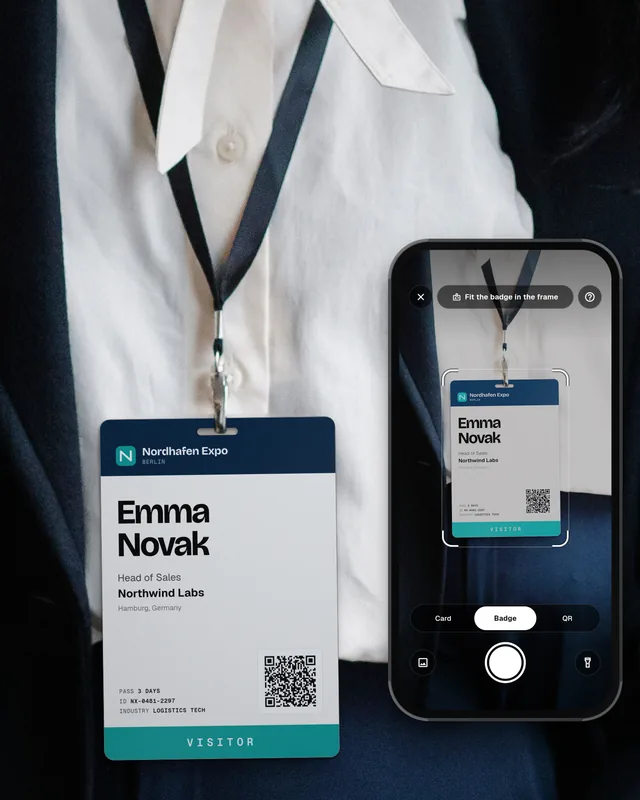
With Swopi, your team scans event badges and business cards, so the contact fields fill themselves. Staff only add what a human knows: a voice or text note and a hot, warm or cold tag. The booth manager sees every lead live in Event Mode. Swopi AI enrichment fills in the missing company and contact details from 20+ data providers, and AI follow-up drafts the first email from the notes. The lead, the rating and the note go to HubSpot, Salesforce, Pipedrive or 5,000+ CRMs and apps. Leads without typing, already sorted. See pricing.
What is trade show lead scoring?
It is a simple score that booth staff give each visitor, based on a few questions about fit, need, timeline and the next step. The score decides how fast and how personally you follow up.
How do you qualify leads at a trade show?
Ask a few natural questions during the talk: what the company does, who decides, what problem they have, when they could buy, and if a call or demo would help. Then give a rating before the visitor leaves.
What is the difference between a hot, warm and cold lead?
A hot lead fits well, has a clear need and a timeline, and often has a meeting booked. A warm lead is interested but has no date. A cold lead has a low fit or no need right now.
How many questions should booth staff ask?
Three to five is enough. More questions slow down the talk, and staff stop filling them in when the booth gets busy.
Is it allowed to score trade show leads under GDPR?
Yes, if you keep it to what you need for the business purpose. Score the business need, not the person, and remove fields you do not use. See our guide on GDPR for trade show leads for the details.