



Best badge scanner apps for trade show exhibitors (2026)
Compare the best badge scanner apps for trade show exhibitors in 2026. Swopi scans badges and business cards, Swopi AI adds contact and company data, then exports to your CRM.
The short answer: The best badge scanner app for exhibitors reads any event badge on the team's own phones, also scans business cards, adds missing contact and company data, and sends each lead to your CRM. If you exhibit at more than a few shows a year, an app you own usually beats renting a scanner at every show.
This guide compares badge scanner apps for trade show exhibitors in 2026. We make Swopi, so we list it first, but we tried to be fair: we link to each tool's own pages, show prices only when the vendor publishes them, and say who each option fits. In the UK, organizers often call the same events exhibitions.
What is a badge scanner app?
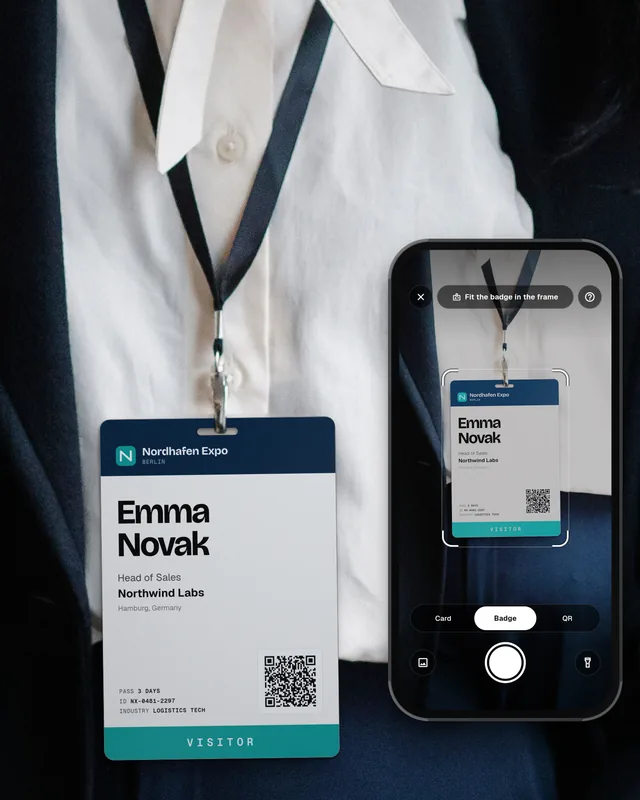
A badge scanner app turns a phone into a lead retrieval tool. Booth staff point the camera at a visitor's event badge, capture the name and company (from print, a QR code, or both), add a note or a hot/warm/cold tag, and save the contact as a lead. Strong apps then add missing email, phone, job title and company data, and sync the lead to HubSpot, Salesforce, Microsoft Dynamics 365, monday.com or another CRM.
There are two types: a rental app or device from the organizer that works only at that show, and your own badge scanner app that you use at every event. Our guide what is a badge scanner explains badge formats in more detail.
How to choose a badge scanner app for exhibitors
Before you look at brands, answer these questions:
- Does it read printed badges, not only QR codes? Some badges hold a full contact in the code. Others show only an ID. Ask whether the app can read the printed name and company when the code is locked to the organizer.
- Does it also scan business cards and LinkedIn QR codes? Paper cards and LinkedIn still show up at every booth.
- What data does it add after the scan? Look for contact and company data (email, phone, job title, company size, industry), and where that data comes from.
- How does it export to your CRM? You want native fields and the event name, not one long note. Check that your CRM is on the native list.
- Can staff qualify leads on the floor? Notes, custom questions and a hot, warm or cold tag matter when the booth is busy.
- Does a manager see leads during the show? A live view helps you act on hot leads the same day.
- How is it priced? Per user, per event, per company or per enriched lead. Some publish prices, others quote on a call.
Comparison table: badge scanner apps in 2026
Facts below come from each company's public pages, checked on 6 November 2026. Prices change, so open the linked page before you decide. Where a vendor does not publish a price, we say so.
| Tool | What it scans | Enrichment | CRM | Pricing as published | Best for |
|---|---|---|---|---|---|
| Swopi | Event badges (printed text and QR), paper business cards in any language, LinkedIn QR codes | Yes, Swopi AI adds contact and company data from 20+ sources | Native HubSpot, Salesforce, Dynamics 365, Zoho CRM, Pipedrive, monday.com and more, plus Zapier for 5,000+ apps | Free plan. Paid plans in the app. Team and company pricing on request (pricing) | Exhibitors who want badge and card scanning, AI enrichment and CRM sync in one app |
| Cvent iCapture | Badges (130+ badge providers), business card photos, manual entry | ZoomInfo with your own seats, AI predicted emails, Apollo firmographics | Salesforce, HubSpot, Marketo, Eloqua, Dynamics 365 | Not published, demo required (page) | Teams already on Cvent or ZoomInfo |
| Cvent LeadCapture | Attendee badges and business cards | Not described on the product page | CRM export and sync, Salesforce named | Sold by the organizer to exhibitors (page) | Exhibitors at a single event that runs on Cvent |
| Captello | Badges, business cards, badge QR, LinkedIn QR, contact info on paper | Yes, own 5-layer engine from 125+ sources (their claim) | Native major CRMs and marketing tools | Not published | Event marketing teams that want capture, enrichment and booth tools in one platform |
| Wave Connect | Printed badges, paper cards, QR codes (vendor claim) | Yes, contact and company data (vendor claim) | HubSpot, Salesforce, Dynamics 365, Zoho and others (vendor claim) | See their pricing page for current plans | Teams that want digital cards plus event badge capture |
| The Badge Scanner | Event badges via phone camera | Not described as enrichment on the product page | Spreadsheet download during or after the event | Sold through event organizers (page) | Exhibitors at shows where the organizer partners with The Badge Scanner |
| Organizer rental apps | That show's badges | No, you get the data from registration | Mostly CSV export, API for an extra fee | Per show, for example from $350 per app license at ATD 2026 (order form) | One show where badges only carry an ID code |
The badge scanner apps, one by one
1. Swopi
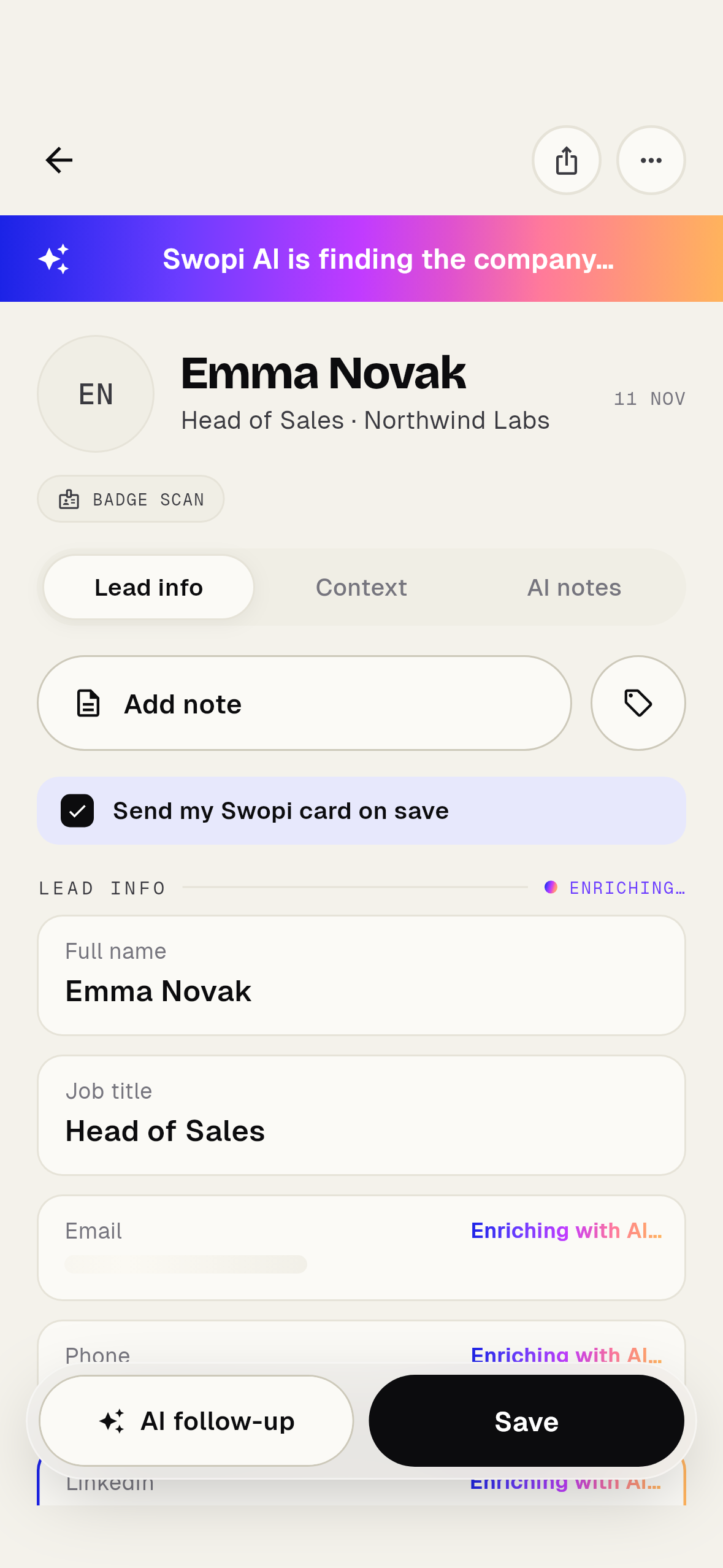
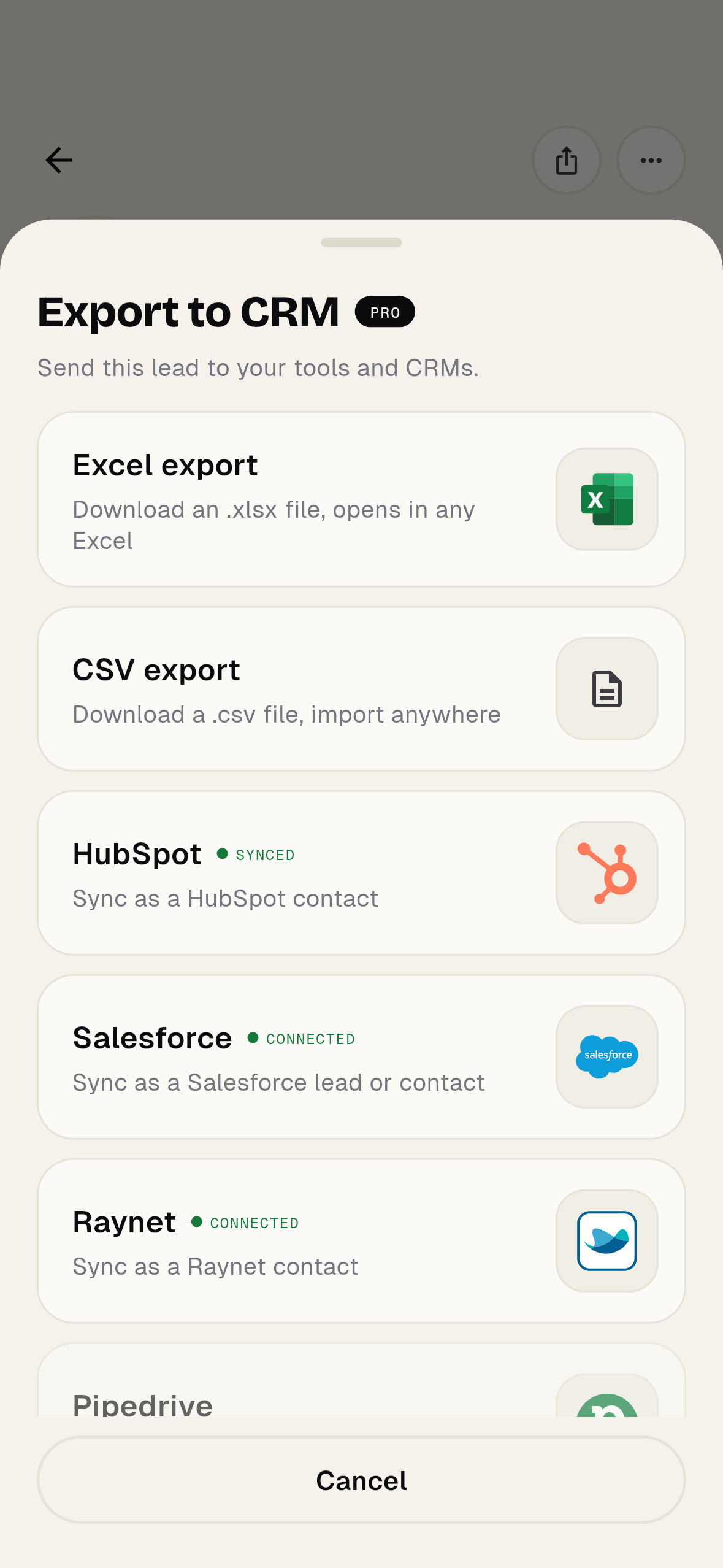
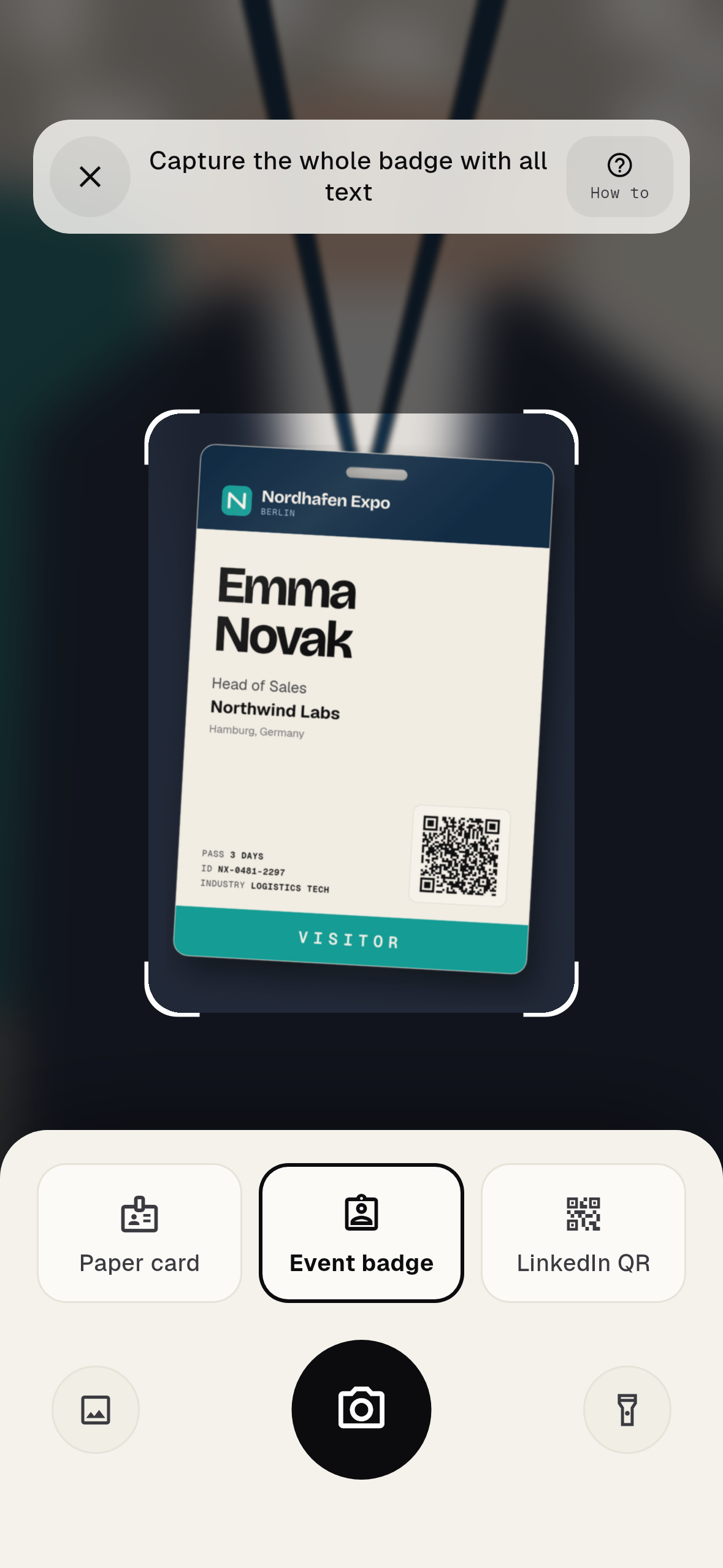
Swopi's main product is a badge and business card scanner with AI enrichment and CRM export. Staff scan an event badge, a paper card or a LinkedIn QR code on an iPhone or Android phone. Modes in the app are Paper card, Event badge and LinkedIn QR. Swopi AI then adds contact and company data from 20+ sources. The lead goes to HubSpot, Salesforce, Dynamics 365, Zoho CRM, Pipedrive or monday.com in native fields, or to 5,000+ apps through Zapier. See the Swopi badge scanner.
2. Cvent iCapture
Cvent bought iCapture in January 2024 (press release). The iCapture page lists badge scans with 130+ badge providers, business card photos, offline capture and routing into Salesforce, HubSpot, Marketo, Eloqua and Dynamics 365. For enrichment it can use your own ZoomInfo seats. It fits teams that already use Cvent or ZoomInfo.
3. Cvent LeadCapture
The LeadCapture page shows it is for organizers, who offer it to their exhibitors and sponsors. If a show runs on Cvent, you may find it in the exhibitor manual. It scans badges and business cards. A good option for that one show, but it does not follow you to the next event.
4. Captello
Captello, from Dallas, sells universal lead capture. Its event lead capture page says one scan reads badges, business cards, badge QR codes, LinkedIn QR codes and contact details on paper. It describes a 5-layer enrichment engine from 125+ sources (their claim) and native CRM sync. Prices are not published. It suits event marketing teams that want many event tools from one vendor.
5. Wave Connect
Wave Connect is a digital business card platform that also markets badge scanning for trade shows. Its public materials describe reading printed badges and cards, enrichment and CRM sync. Check the current plans on their pricing page before you compare cost. It fits teams whose first need is digital cards with event capture on top.
6. The Badge Scanner
The Badge Scanner (badge-scanner.com) is a lead capture app sold through event organizers. Staff point a phone at a visitor badge, add notes, photos and product interests, then download leads as a spreadsheet during or after the event. It fits exhibitors at shows where the organizer already partners with that vendor.
7. Organizer rental apps and devices
Most large shows sell their own lead retrieval. At ATD 2026 the first app license cost $350 to $400 and each extra license $150 to $200 (ATD order form). The upside: the organizer app can read badges that only carry an ID. The downside: you pay again at every show, learn a new app each time and often get a CSV file after the event. Our guide to the best lead retrieval apps covers rentals in more detail.
Own badge scanner or organizer rental?
Multiply shows per year by staff per booth by the rental price. Compare that yearly total with the yearly price of an app you own, and add the time spent importing CSV files into the CRM. Also check the badges: if a show only prints an ID in the code, you may need the organizer app there. Our lead retrieval cost guide shows how to count it.
How badge scanning works in Swopi
Step 1: Scan
Open Event badge, Paper card or LinkedIn QR in the Swopi app on your own phone. No rented scanner.
Step 2: Qualify
Add a voice or text note and tag the lead hot, warm or cold.
Step 3: Enrich
Swopi AI adds contact and company data from 20+ sources.
Step 4: Export to CRM
The lead lands in HubSpot, Salesforce, Dynamics 365, Zoho CRM, Pipedrive or monday.com in native fields, and Swopi AI can draft a follow-up email.
You can start free in the Swopi app on iPhone and Android, or in the web dashboard, and try Swopi AI on your own leads. See pricing for all plans.
What is the best badge scanner app for trade show exhibitors?
There is no single best app. Pick one that works at every event you attend, reads printed badges and QR codes, also scans business cards, adds contact and company data, and syncs to your CRM.
Can a badge scanner app replace the organizer's lead retrieval?
Usually yes when the badge shows the name and company in print, or carries a QR code with contact details. Some codes only hold an ID that only the organizer app can decode, so check the exhibitor manual.
Do badge scanner apps also read business cards?
Some do. Swopi, Cvent iCapture and Captello all list business card capture on their product pages. Confirm before you buy if your booth still collects paper cards.
How much does a badge scanner app cost?
Organizer rentals are priced per show, for example from $350 for the first app license at ATD 2026. Own apps range from free plans to per user or company licenses. Always check the price page of each tool.
What does Swopi AI add after a badge scan?
Swopi AI adds contact and company data from 20+ sources, then you can export the lead to your CRM. Details are on the AI lead enrichment page.
Is a badge scanner the same as a lead retrieval app?
Almost. Lead retrieval is the broader job of capturing booth visitors. A badge scanner is the tool that reads the badge. Many lead retrieval apps also scan cards and QR codes. See what is lead retrieval.